
.svg)


Our Shoptet checkout integration allows you to take full advantage of the loyalty system not only in your e-shop, but also in your brick-and-mortar store. Your registered customer, when making a purchase in-store, not only receives new points for this purchase, but if they already have some points in their account, they can also redeem them.
The extension supports both the new Shoptet POS system and the original (older) version. After installation, the correct version will be automatically activated based on which POS system you are currently using—there is no need to switch anything.
How does it work?
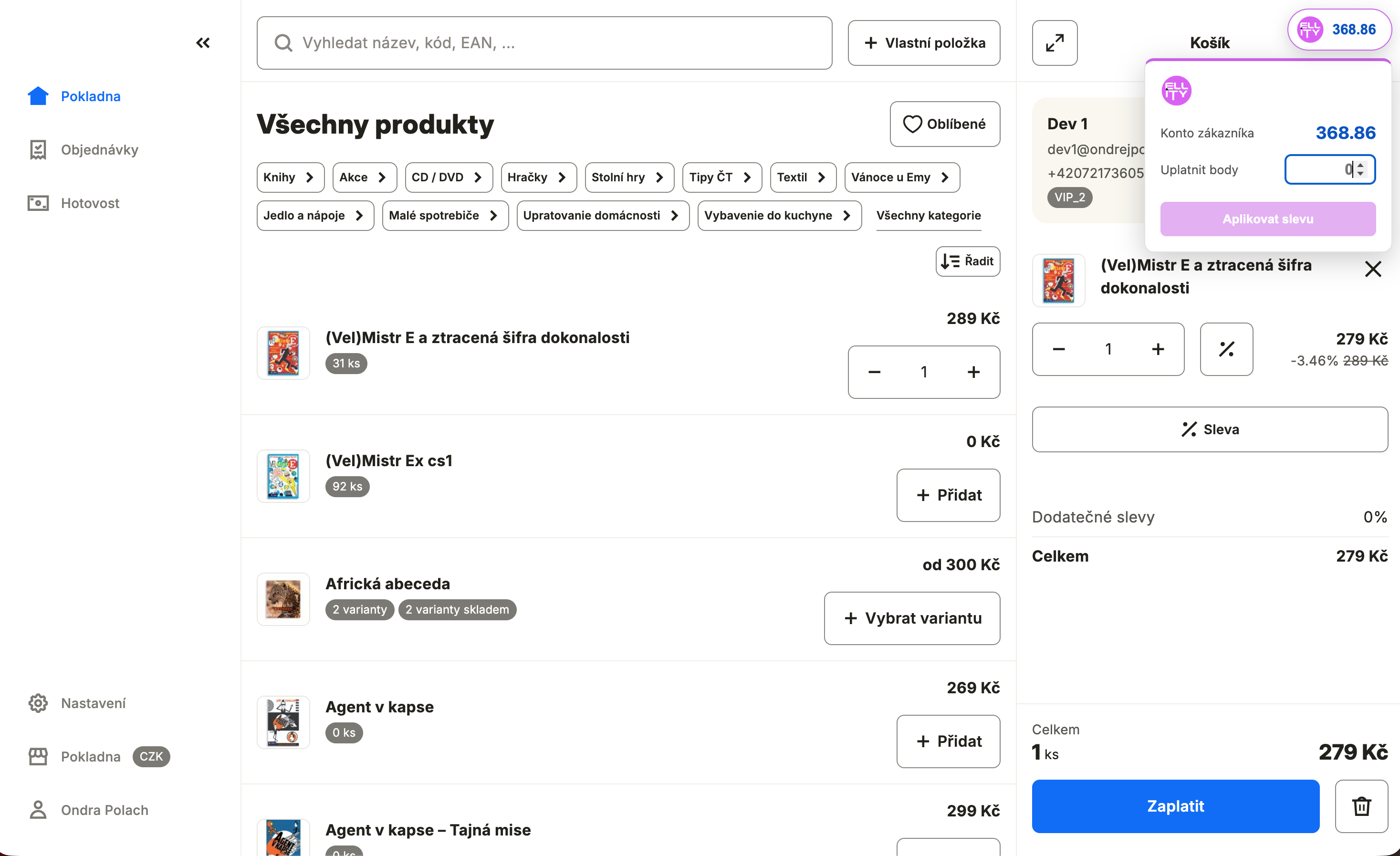
After searching for and selecting a customer at the register, a floating Ellity button will appear in the upper right corner, displaying the customer’s current point balance. Clicking it opens a panel where you can enter the number of points the customer wishes to redeem and press the “Apply Discount” button. A discount coupon for the amount of the discount, calculated based on the redemption rate, will be automatically added to the purchase.
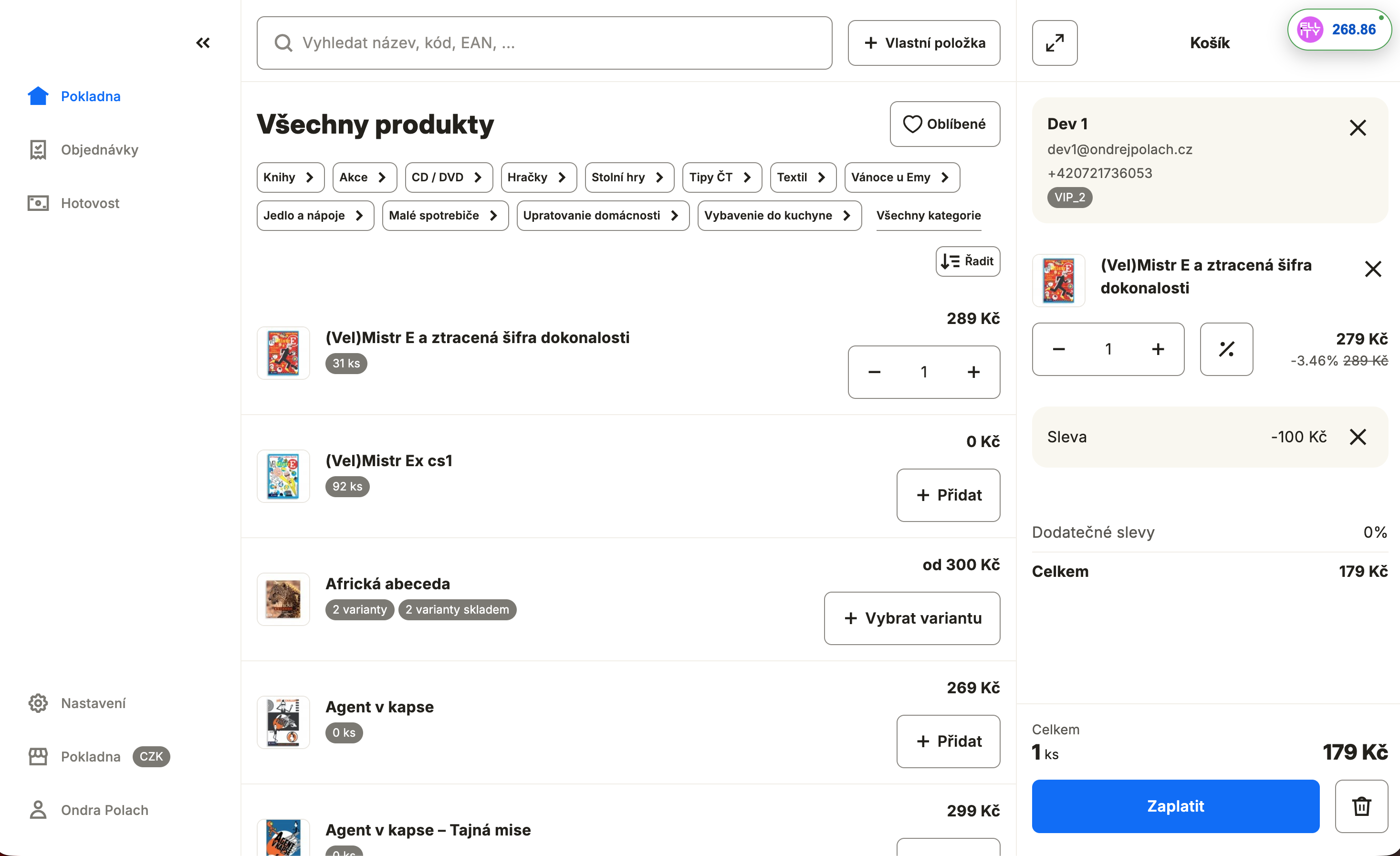
You can cancel an applied discount at any time by clicking the "Cancel Discount" button. The discount will also be automatically canceled if you change the contents of your cart (by adding, removing, or changing the quantity of items) or if you remove the coupon directly at checkout.
Everything happens automatically; there is no need to manually adjust the customer’s points balance. Upon completion of the purchase, the redeemed points are automatically deducted, and the customer simultaneously earns points for the purchase based on the points multiplier. We accept cash, card payments with manual entry of the amount, and card payments via the Shoptet Pay payment terminal.
Compatibility with the original cash register
The extension also works with the original (older) version of the Shoptet POS system.
Installation
You will need the Google Chrome web browser. If you do not have it on your device, please install it. Now install our Ellity add-on for Chrome : the Shoptet checkout extension.
Settings
In order to connect your checkout with Ellity, you will need an API key, which you can get from our support.
Open the settings by clicking the Ellity extension icon in the browser extensions section. This section can be accessed from the panel next to the web address input box in the browser, as shown in the following image.

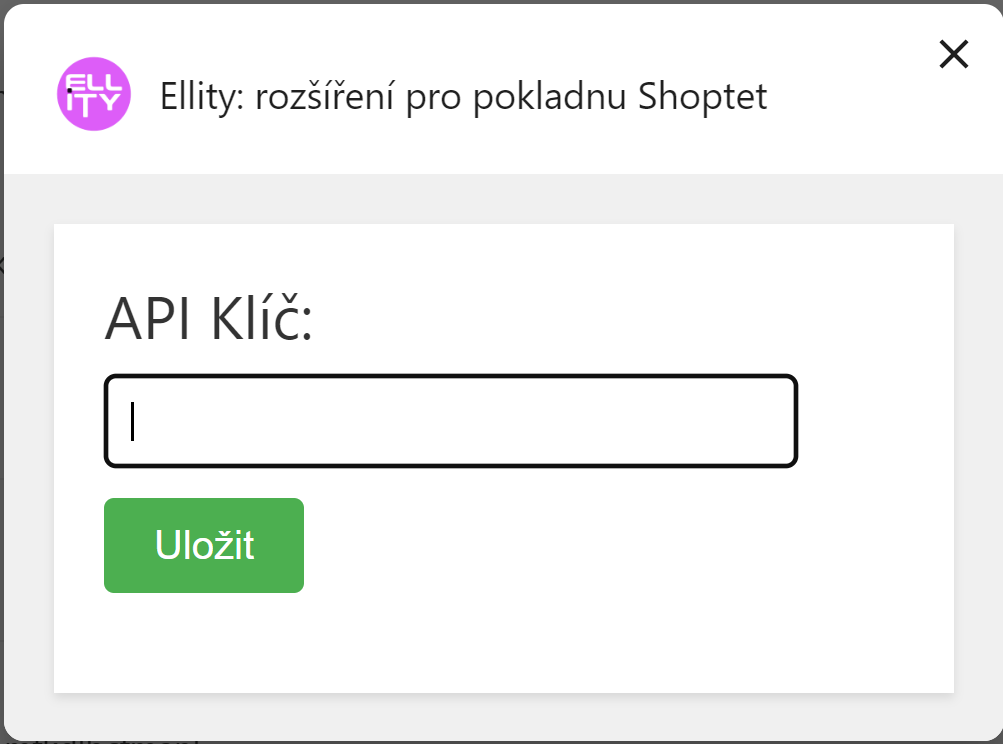
Clicking on the Ellity extension opens a dialog box with a Set Extension button. Press it and the following settings window will open. Enter the API key and press the Save button. If you have entered the correct API key, a success message will be displayed. Otherwise, repeat the insertion of the API key.
💥Now you have Ellity ready for use in your Shoptet checkout.
Support
If you need help installing and setting up this extension, please contact our support team.
