
.svg)


List of customers
Overview of functions
The customer list allows you to browse and manage all customers in your loyalty programme. It displays key information about each customer and provides advanced filtering options.

What you see in the list
- Email - customer contact email
- Name - full name of the customer
- Points - the current number of points in the account
- Registration date - when the customer registered
- Last modified - when the data was last modified
- Customer group - VIP levels or customer groups
- Segment - current segment according to the selected analytical model (Champions, Loyal, Recent, etc.)
Filtering options
1. Search
- Enter email, name or part of the customer's name
2. Filtering by customer group or VIP level
- Select a group/level from the list
3. Filtering by registration
- All - shows all customers
- Registered - only customers with an account
- Anonymous - customers without registration
4. Segmentation by model
- Select an analytical model (e.g. RFM model)
- Filter by segment, for example:
- Champions - best customers
- Loyal - loyal customers
- Recent - recent customers
- Need to reactivate - customers to reactivate
- Lost - lost customers
Practical tips
- Combine filters for more accurate results
- Export data for further analysis
- You can use the icon on the top right to view the menu for importing points from CSV or exporting all transactions in the points program to CSV. These functions can be paid.
- Track segments for targeted campaigns
- Identify VIP customers for special care
Customer detail
Basic information
Customer detail provides a complete overview of a single customer, including their behaviour, preferences and history.
What you see in detail
Personal data
- Email - jan.novak@email.cz
- Phone - +420 123 456 789
- Full name - Jan Novák
- PIN code - 1234 (to redeem points if the customer is not registered)
- Date of birth - 24.06.1985
- Holiday - 24.06
- Registration date - 15.03.2023
- Referral code - JAN2024
- Customer group - VIP customer
Loyalty information
- Current points - 1,250 points
- Points account development and transaction history - graphically and in a table with a detailed description of each transaction
- Date of transaction
- Description
- Change of account
- Ability to filter transactions - by type or by searching in the description (order number, etc.)
- Future changes to deferred charging of purchases

Development of metrics
- Displays the evolution of the selected metric in the selected time window
- These metrics feed into the analytical models

Segmentation and analysis
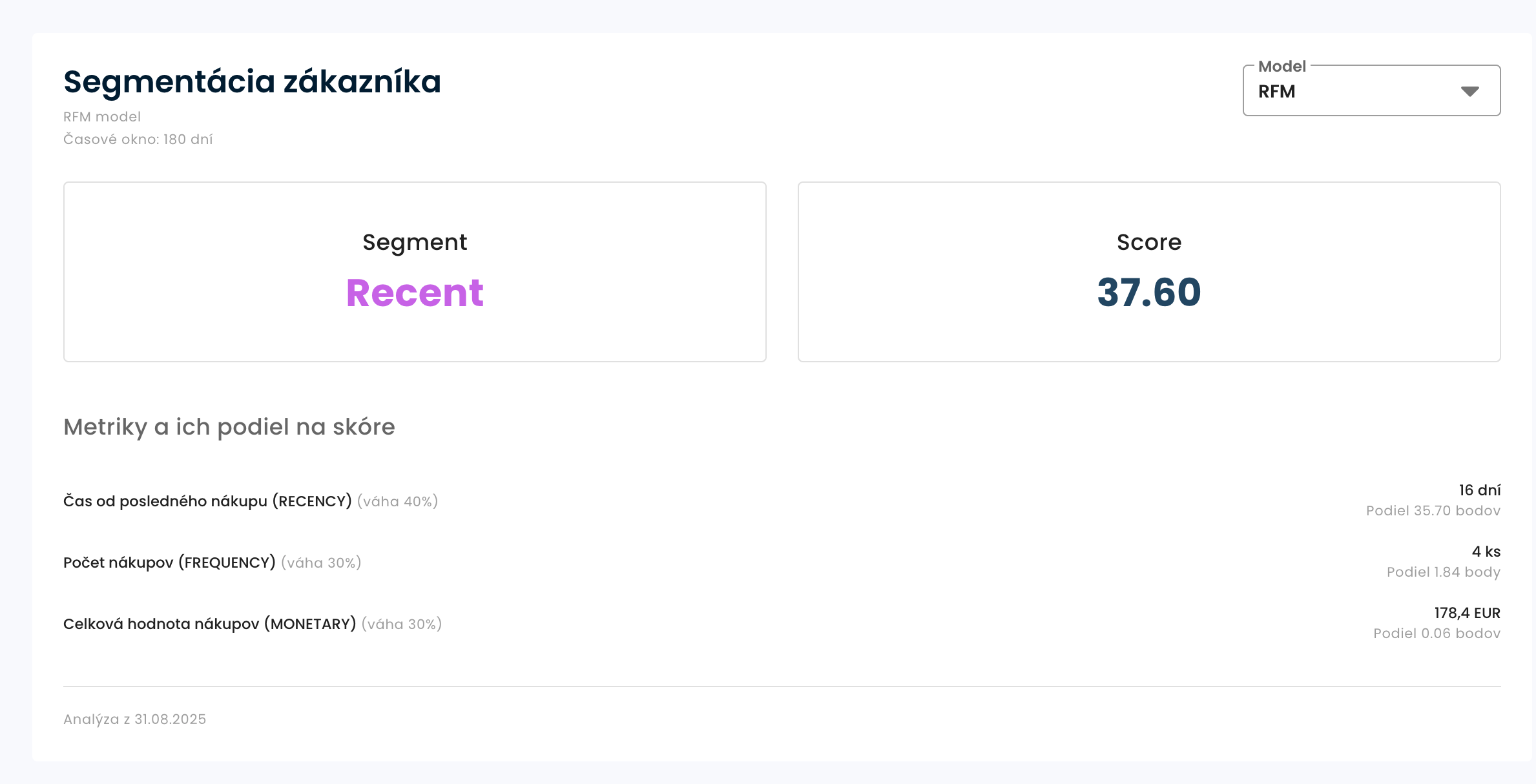
RFM Model (Champions segment)
- Overall score - 37.6/100
- Recency - 16 days (score: 35.70)
- Frequency - 4 purchases (score: 1.84)
- Monetary - 178.4 Eur (score: 0.06)
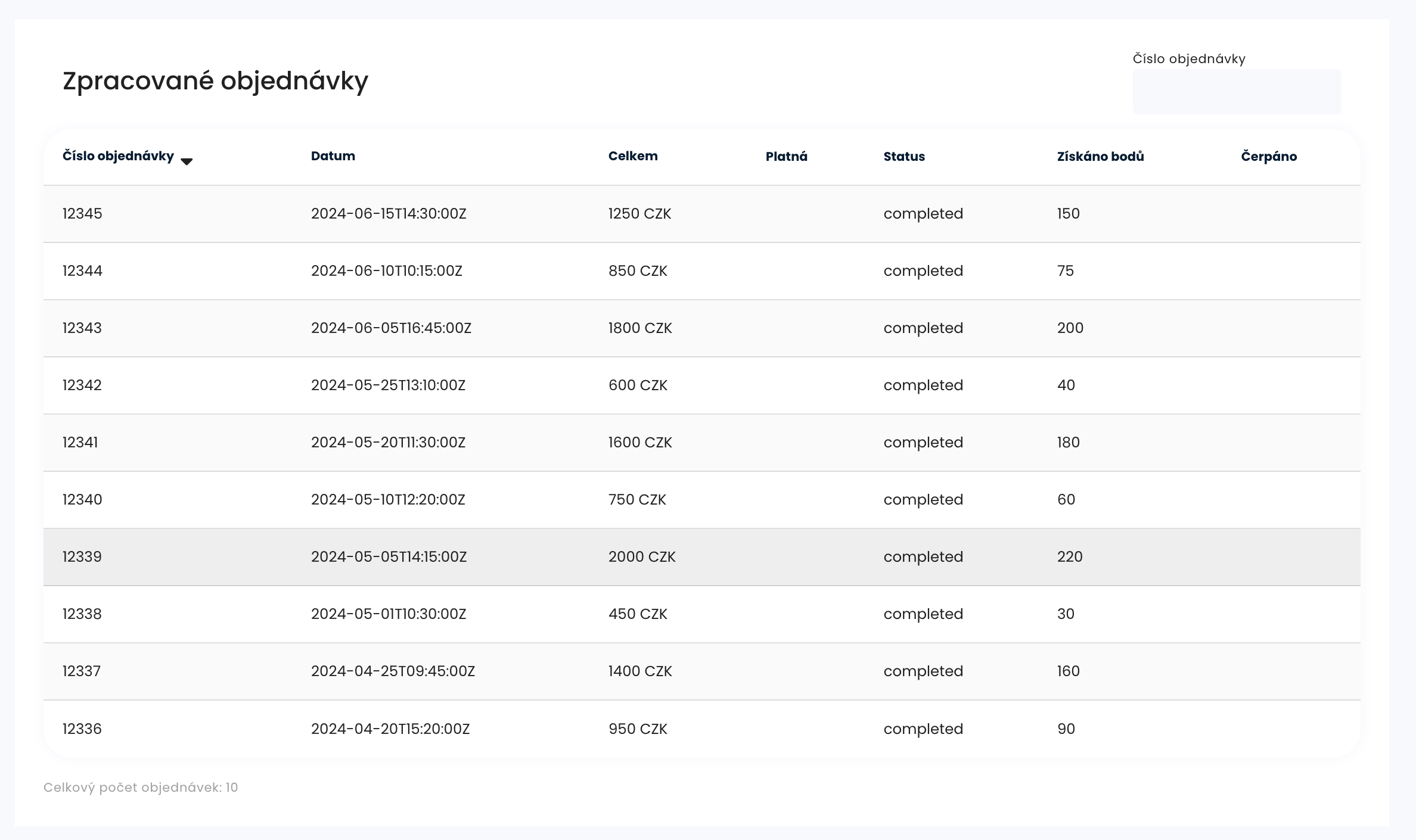
Customer orders
- Overview of processed customer orders
- You can search by order number and sort by date or amount.
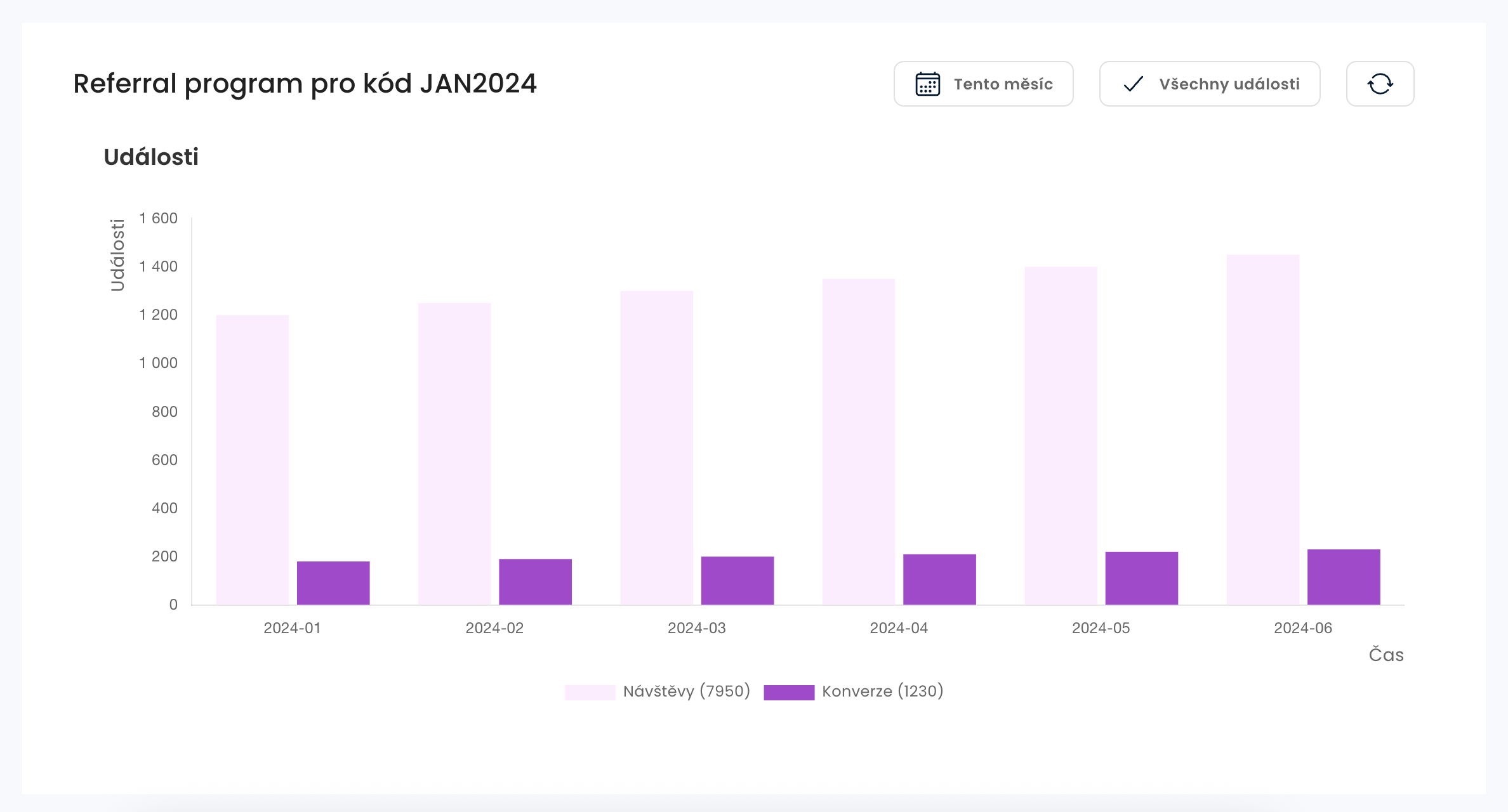
Referral program
- Overview of visits and conversions made via the customer's referral code
- Can be filtered by date and event type
Practical use of detail
For the sales team
- Identify VIP customers - Jan Novák is in the Champions segment
- Watch the Behavior - 8 purchases for 12,500 Kč
- Plan Campaigns - High Points Utilization Rate (64%)
For marketing
- Targeted offers - by segment and preferences
- Personalisation - use of birthday and holiday data
- Referral program - active referral code JAN2024
Pro customer service
- Quick identification - by email or phone
- Interaction history - all transactions in one place
- Identity verification - by PIN code
Action steps
- Contact the customer - you have all the information you need
- Personalize yourself - by segment and value
- Follow trends - in segmentation and transactions
- Plan retention - according to the risk of moving to another segment
Customer detail is a key tool for a personalized approach and building long-term relationships with your best customers.This article will show you how to work with your customers in the Ellity console.
Manual crediting of points by the administrator
If you need to change a customer's account, deduct or add points (for example, for a late order), click on the edit button in the customer details in the points account panel and you will be taken to the account editing.
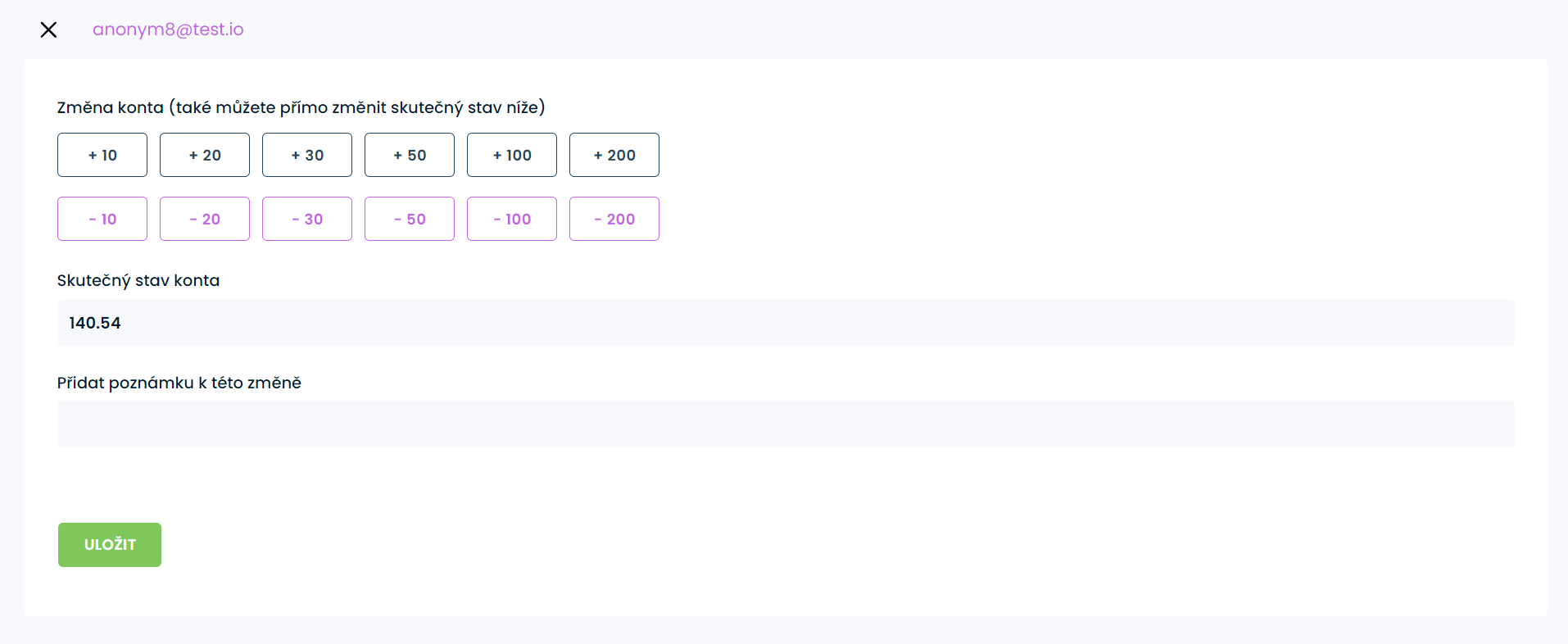
Here you can add or subtract credits, either according to predefined values or you can enter your own. Directly type the Actual Account Balance, if it is a decimal value, always use a period instead of a decimal point.
You can also write a note about the change, which will appear in the history. The client will then see these changes in their profile on your store.
Edit customer group and lock customer VIP level
If you need to manually set up a customer group, click the edit button on the Basic Details panel to access the customer edit. Once you change the customer group, this change will also be written to the e-shop (Shoptet). If you have activated the VIP program, there is another option available, namely locking the group. If you lock the group, it will not change automatically according to the rules of the VIP program.

Sending a PIN to an unregistered customer
Unregistered customers need a PIN to redeem their points. This PIN will be sent to their email when they place their first order. If the customer loses the PIN, he cannot redeem points. However, he can contact you to generate and send him a new PIN
Open the detail of the unregistered customer. On the Basic Details panel, next to the PIN, there is a button to reset it and send it to the customer's email.
Important
Registered customers do not need a PIN. To redeem their points, they only need to log in to their account in the e-shop. They can then redeem their points.
For a registered customer, you will not see the button to send the PIN
Exporting accounts to e-mailing services
Through emailing service integrations, you can continue to work with your customers in your campaigns.
Among other things, you can export your customers with their accounts to a given connection service (e.g. Ecomail, etc.). This export can be done from the settings of the integration. It is not always necessary to export. It is sufficient only when you first connect to the service, after that the synchronization is handled automatically by Ellity when you change the customer account or its data.
